MES & OEE FROM THE EXPERTS
Support Shopfloor Management with AI Agents
- REAL-TIME DATA understood faster
- ROOT CAUSES identified effectively
- ACTIONS defined more precisely


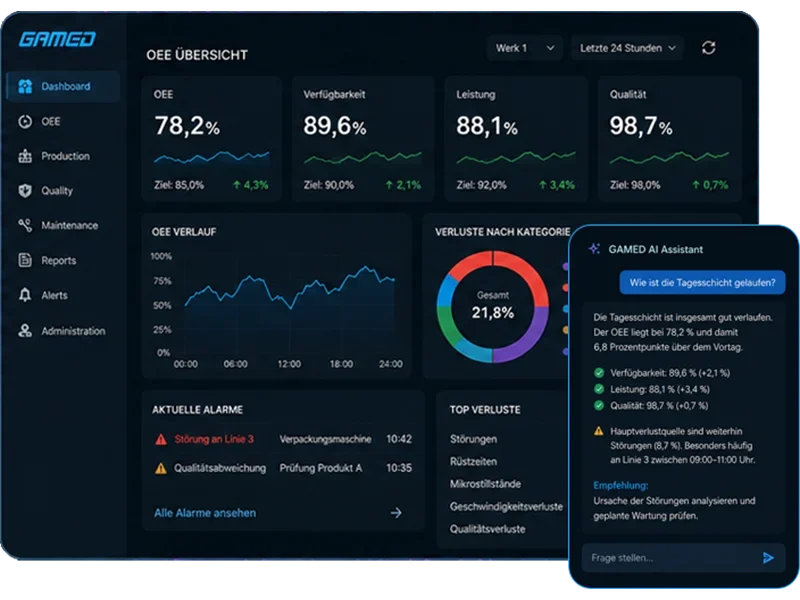
When Data Is Available but Answers Are Missing
Dashboards and KPIs show what is happening in production. In day-to-day operations, however, it often remains unclear why something is happening and what action makes sense. This is exactly where additional effort arises: users have to compare reports, search documentation or ask key users.
Typical questions relate to production performance, data quality and software logic:
- Why is OEE decreasing on Line 5?
- Which machine causes the most scrap?
- Which downtime event has the greatest impact on availability?
- Which downtime events occur before scrap is recorded?
- How can I assign a new machine status?
- Which setting affects whether a status is relevant to OEE?
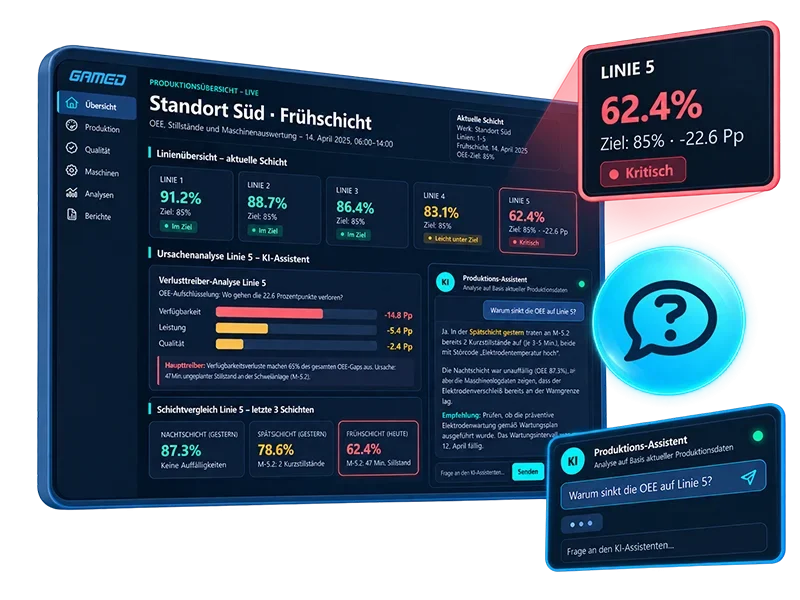
Why This Is Costly and Problematic
When production data cannot be understood quickly, optimization potential remains untapped. Downtime, scrap, performance losses or incorrect entries may be recorded, but their causes are not always immediately apparent.
This can have tangible consequences:
- OEE losses and recurring downtime events are identified too late.
- Causes of scrap remain unclear or are only analyzed after the fact.
- Incorrect sensor data, entries or unusual runtimes distort analyses.
- Production targets are only identified as being at risk at the end of the day.
- Expert knowledge remains concentrated among a small number of key users or project managers.
Speed is especially important in Shopfloor Management: the faster anomalies are identified, understood and put into context, the more effectively teams can respond.
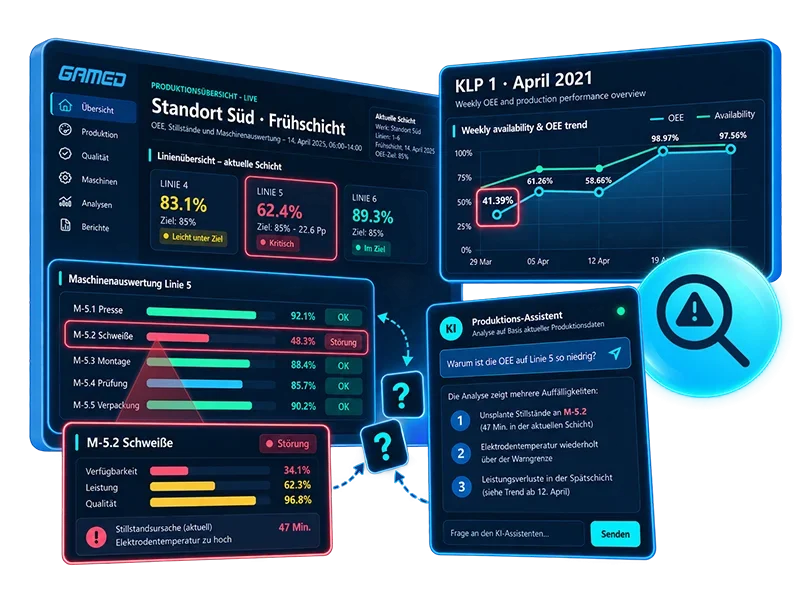
How GAMED Helps
The GAMED AI Assistant is available directly within the software – in dashboards, analyses, machine statuses, OEE evaluations, configurations and other areas of the system. It combines software knowledge, documentation, configuration logic and production data.
1. Understand Operation and Configuration Faster
Users can ask questions about the software directly within their current work context. The assistant explains functions, helps with settings and makes system logic easier to understand.
- Explain how the “Startup Check” function works.
- Why is status “XY” currently considered relevant to OEE?
- Which setting needs to be adjusted so that this status is no longer included in the OEE calculation?
2. Simplify Analysis and Root Cause Investigation
The AI Assistant can analyze production data and answer questions about OEE, downtime, scrap, availability and machine performance.
- Show me the top downtime events from last week.
- Why is OEE decreasing on Line 5?
- Which machine had the most unplanned stops?
- How did we resolve the electrical fault on the robot last time?
3. Make Anomalies and Forecasts Visible
In addition to traditional analyses, the assistant helps identify potential data issues and trends at an early stage – such as incorrect sensor data, unusual runtimes, incorrect entries, target achievement, expected production volumes, scrap trends or failure probability.
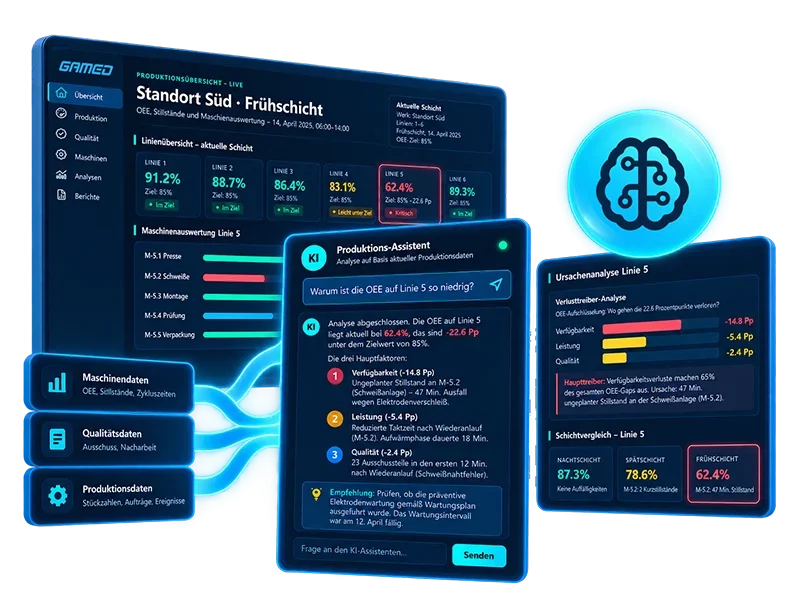
Specific Benefits
With the GAMED AI Assistant, production data, software functions and system knowledge become easier to access. Users get answers faster, identify relationships earlier and can take more targeted action.
- Faster answers directly within the software – without lengthy searches through documentation, reports or settings.
- Better understanding of efficiency and KPIs – relationships between availability, performance, quality, downtime and scrap become easier to understand.
- Faster root cause analysis – loss drivers, recurring downtime events and unusual patterns become visible more quickly.
- Less dependence on key users – knowledge about functions and configurations becomes more widely available.
- Better decisions on the shop floor – shift supervisors and production managers can prioritize actions based on data.
“Process engineers need efficient tools to quickly identify complex causes of errors and optimise production.”


DI Wolfgang Rauter Product and Process Development
Case Study: From the Dashboard to a Specific Answer
Many manufacturing companies already have dashboards for OEE, downtime, scrap, production volumes and machine statuses. Yet in day-to-day operations, the key question often remains unanswered: Why is something happening – and what actions make sense?
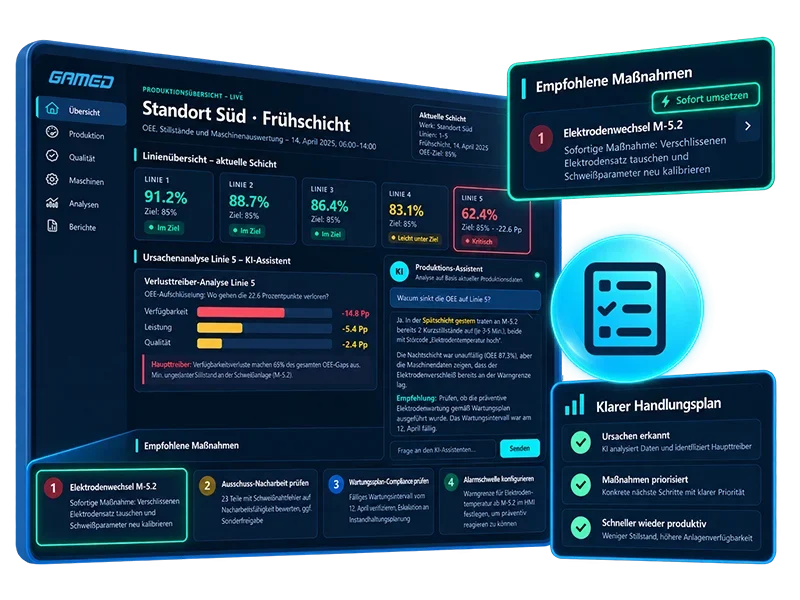
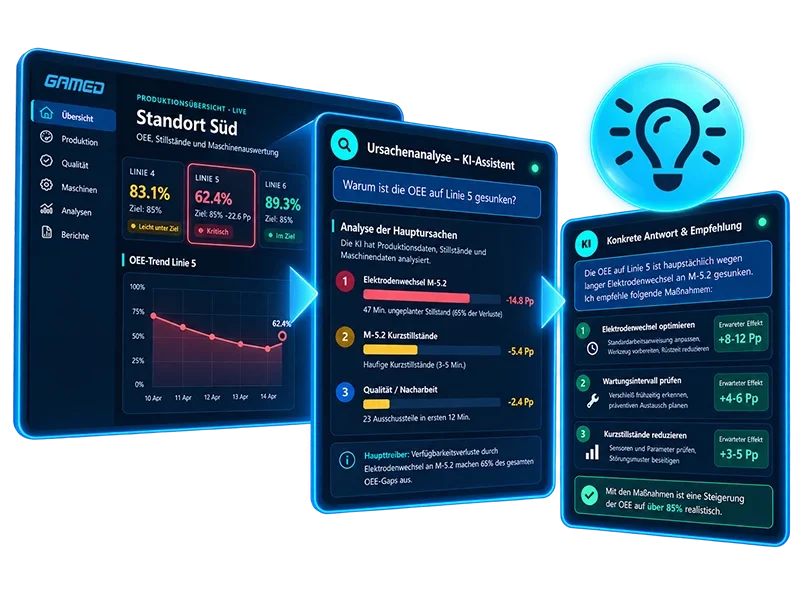
For example, a production manager notices that OEE on Line 5 is below target. Instead of opening multiple analyses, setting filters and asking shift supervisors, maintenance staff or key users for input, the manager can ask the AI Assistant directly: “Why is OEE decreasing on Line 5?”
The assistant analyzes relevant production data, downtime events, machine statuses, scrap values and availability losses. It then summarizes which factors had the greatest impact, which machine stood out and whether any patterns can be identified compared with previous shifts.
This turns a dashboard into an interactive decision-support tool: existing knowledge, production data and system logic become accessible more quickly without replacing the experience of employees.
The benefits:
- faster root cause analysis
- less manual analysis effort
- greater transparency into loss drivers
- more targeted actions during ongoing operations
- earlier assessment of target achievement and risks
Frequently Asked Questions about AI in Shopfloor Management
-
What Is AI-Assisted Shopfloor Management?
KI-unterstütztes Shopfloor Management bedeutet, dass Produktionsdaten, Kennzahlen, Systemwissen und Dokumentation mithilfe künstlicher Intelligenz einfacher nutzbar werden. Benutzer können Fragen stellen, Zusammenhänge analysieren und Entscheidungen schneller vorbereiten.
-
What Does the GAMED AI Assistant Do?
The GAMED AI Assistant is an AI agent system available to users directly within the software. It supports software operation, documentation, configuration, production data analysis, root cause investigation and forecasting.
-
Where Is the AI Assistant Available?
The AI Assistant is available within GAMED software and can be used in context – for example, in dashboards, analyses, OEE evaluations or configurations.
-
What Questions Can Users Ask the AI Assistant?
Users can ask questions about the software and production data, such as: “How can I assign a new status to a machine?”, “Why is efficiency decreasing on Line 5?” or “Which machine causes the most scrap?”
-
Can the AI Assistant Help with OEE Analyses?
Yes. The assistant can analyze production data, highlight loss drivers and clearly explain relationships between availability, performance, quality, downtime and scrap.
-
Does the AI Assistant Also Support Configurations?
Yes. The assistant can explain which settings or configurations affect specific analyses and, for example, how machine connectivity needs to be configured for different interface types.
-
Can the AI Assistant Detect Incorrect Data?
The AI Assistant can help identify anomalies such as incorrect sensor data, unusual runtimes or incorrect entries. This allows users to verify data quality more effectively.
-
Can the AI Assistant Create Forecasts?
Yes. Depending on the available data and system configuration, the assistant can support forecasts, for example for end-of-day OEE, target achievement, production volumes, scrap trends or failure probability.
-
Does the AI Assistant Replace Production Employees or Experts?
No. The AI Assistant does not replace employees or professional responsibility. It helps users find information faster, understand data more effectively and prepare better-informed decisions.
-
Which Roles Benefit Most from the AI Assistant?
The AI Assistant is particularly helpful for plant managers, operations managers, production managers and shift supervisors, as well as maintenance, quality assurance, Lean and OPEX teams, key users, IT/OT managers and new software users.