Contents
See Tomorrow’s OEE Today
Realistic Plans Based on Your Own Data
Plan by Drag and Drop, Using Your Experience
Identify Conflicts before They Slow Down Production
Automatic Mode: Plan the Week in Seconds
Skills: A Common Language for People and Machines
Event Types: Consistent Labeling in the Calendar
Conclusion
Release Notes
Optimal Production Plans at the Push of a Button
Fine Planner automatically assigns operations to suitable machines using modern optimization algorithms. You define the objective: earliest possible completion of all orders, on-time delivery, minimum changeover times or a weighted combination of these goals. Operations that have already been fixed remain unchanged, while the algorithm plans around them.
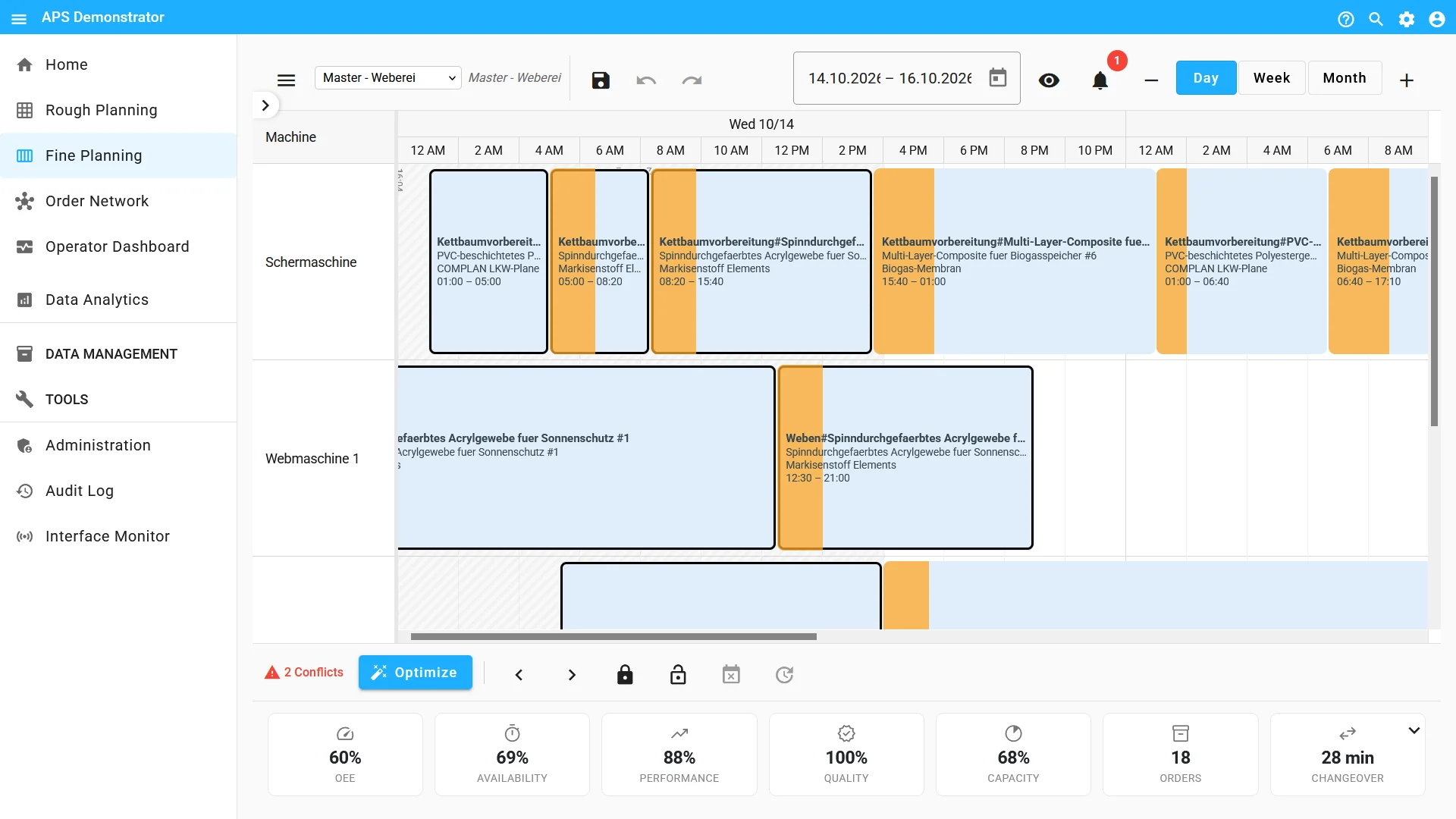
See Tomorrow’s OEE Today
For each plan, you receive a forecast of the most important KPIs: OEE, availability, performance, capacity utilization and number of orders. You can define different simulation scenarios, and the algorithm predicts the corresponding KPIs for each scenario. This allows you to see before production starts which plan is expected to deliver the highest productivity.
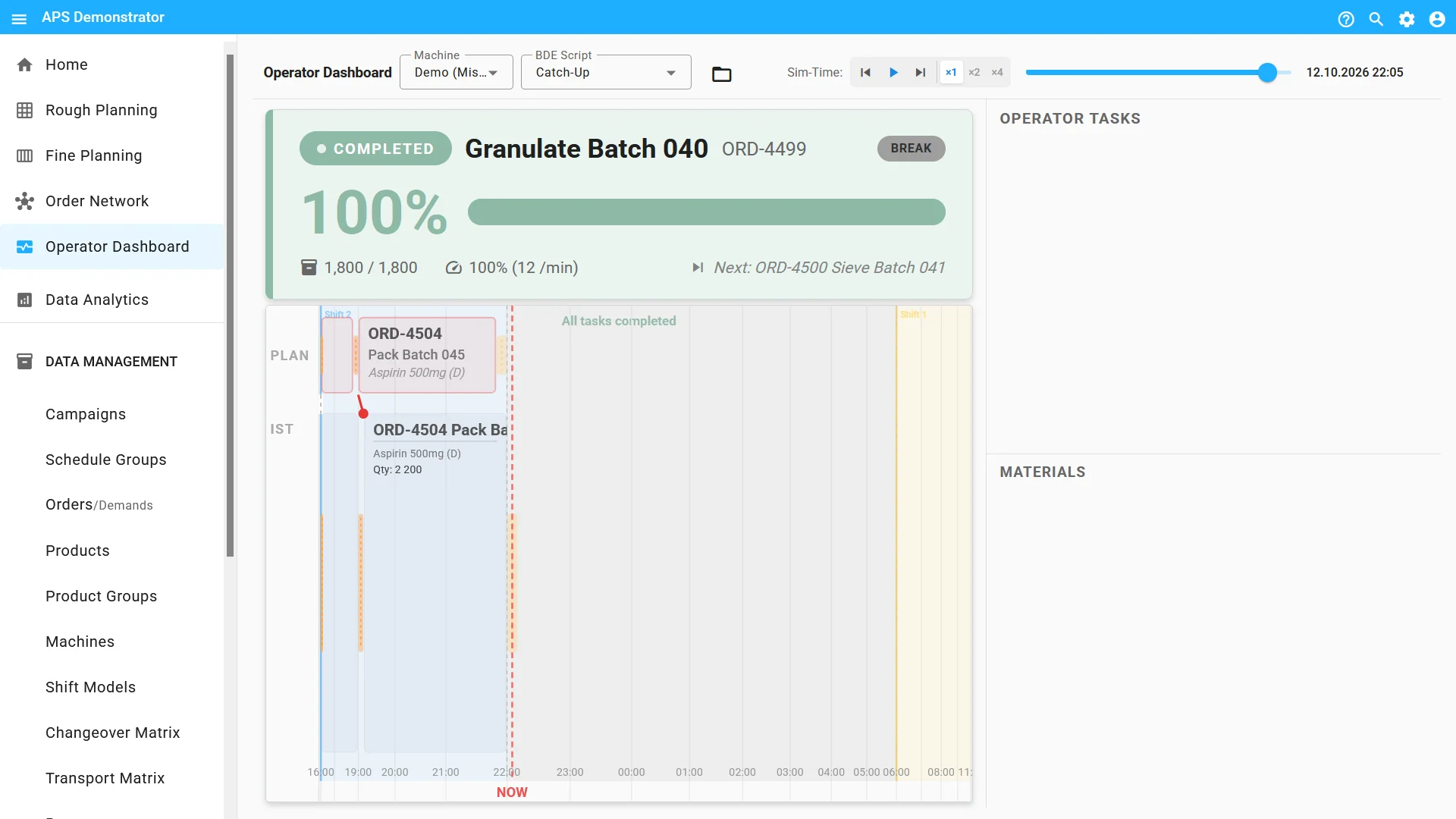
Realistic Plans Based on Your Own Data
Instead of relying on ideal target times, Fine Planner uses actual execution times from your historical production data. You can also define an improvement target, such as 5%. This target is taken into account in both manual and automatic planning. The result is realistic plans that can be achieved while also supporting continuous improvement.
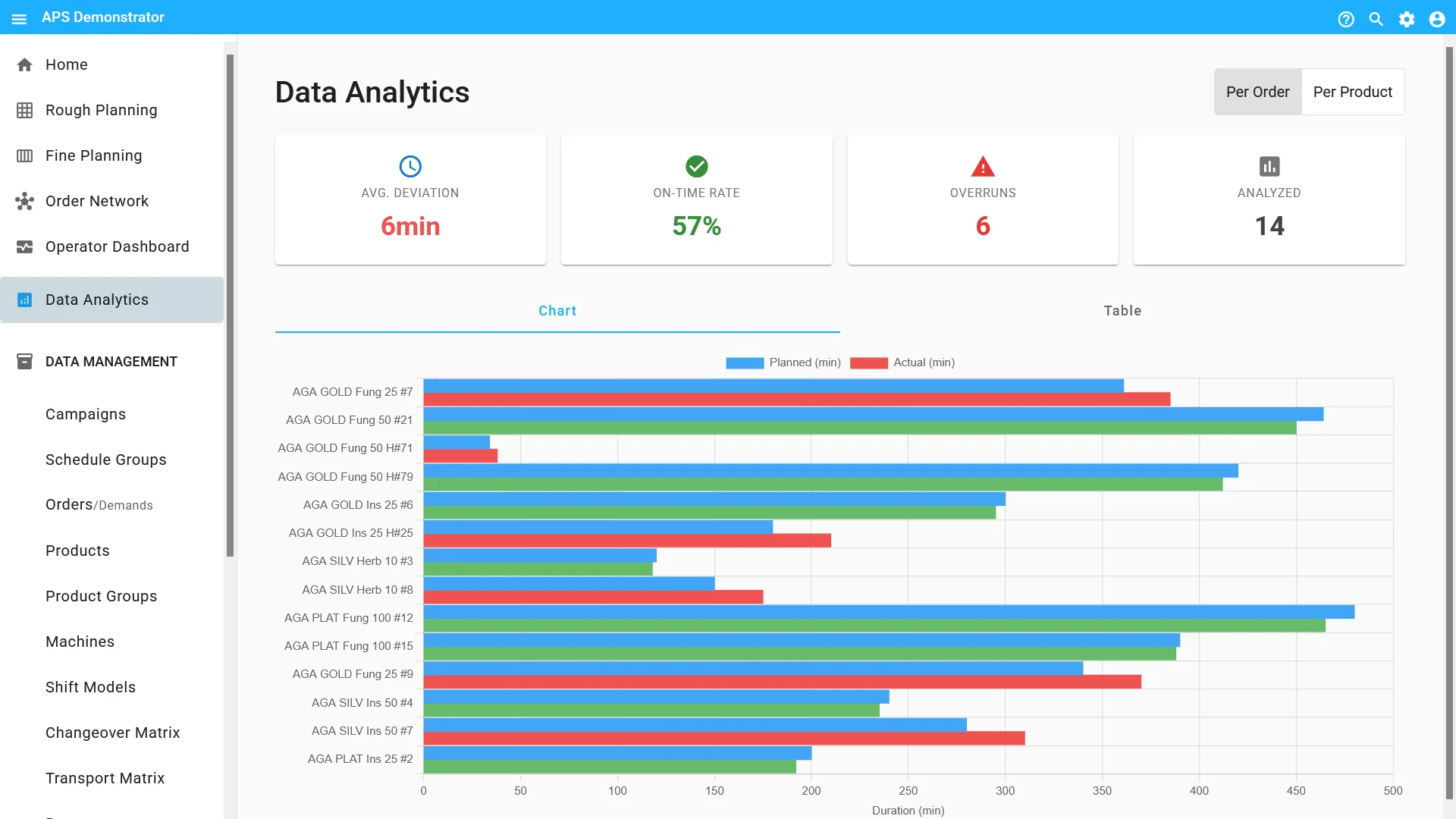
Plan by Drag and Drop, Using Your Experience
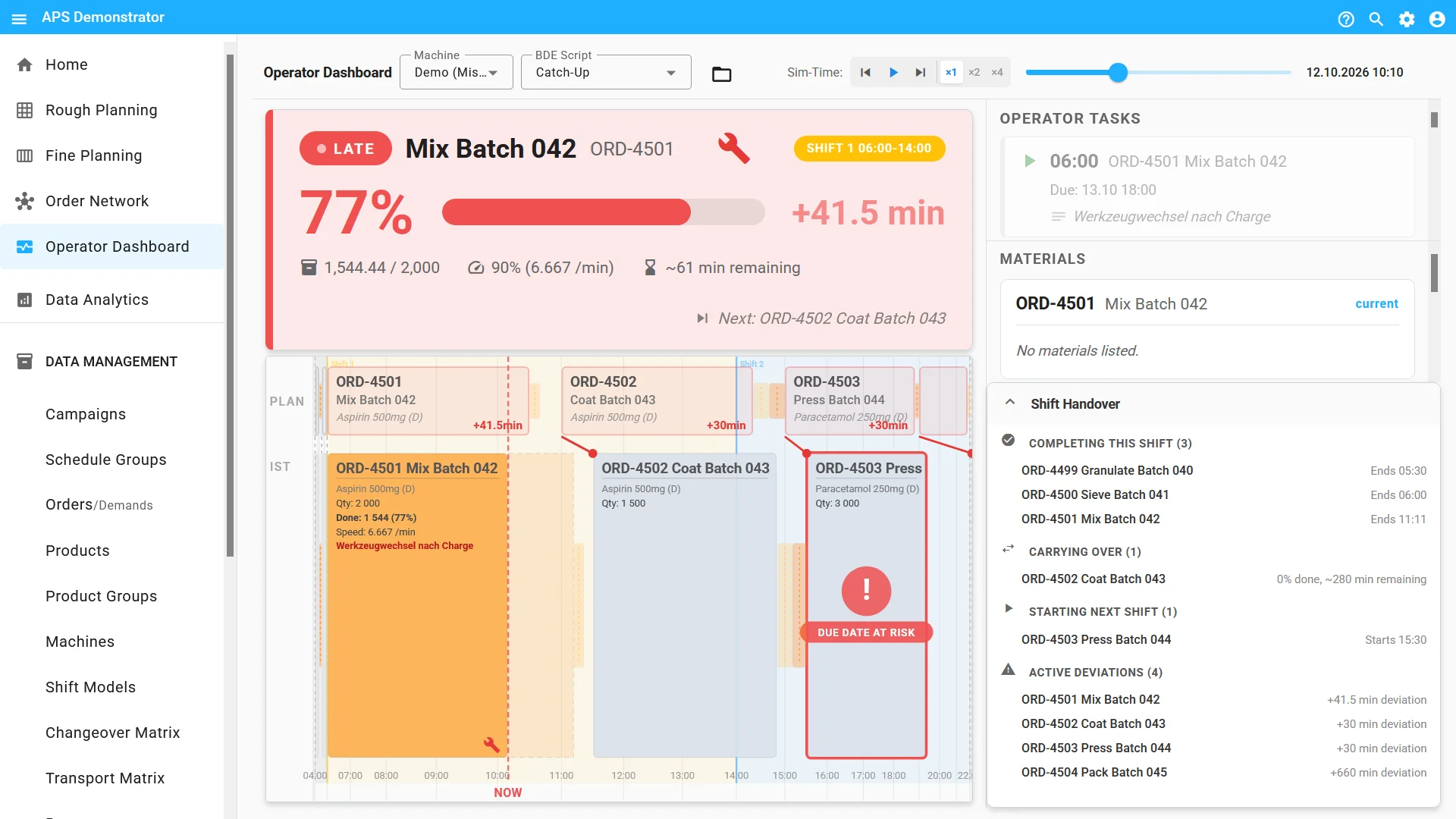
If you prefer to plan manually, simply drag operations from the order list directly into the desired time slot. An operation can only be placed on machines that are actually capable of performing it. Shift schedules and planned downtime are already taken into account. You retain full control while still saving time.
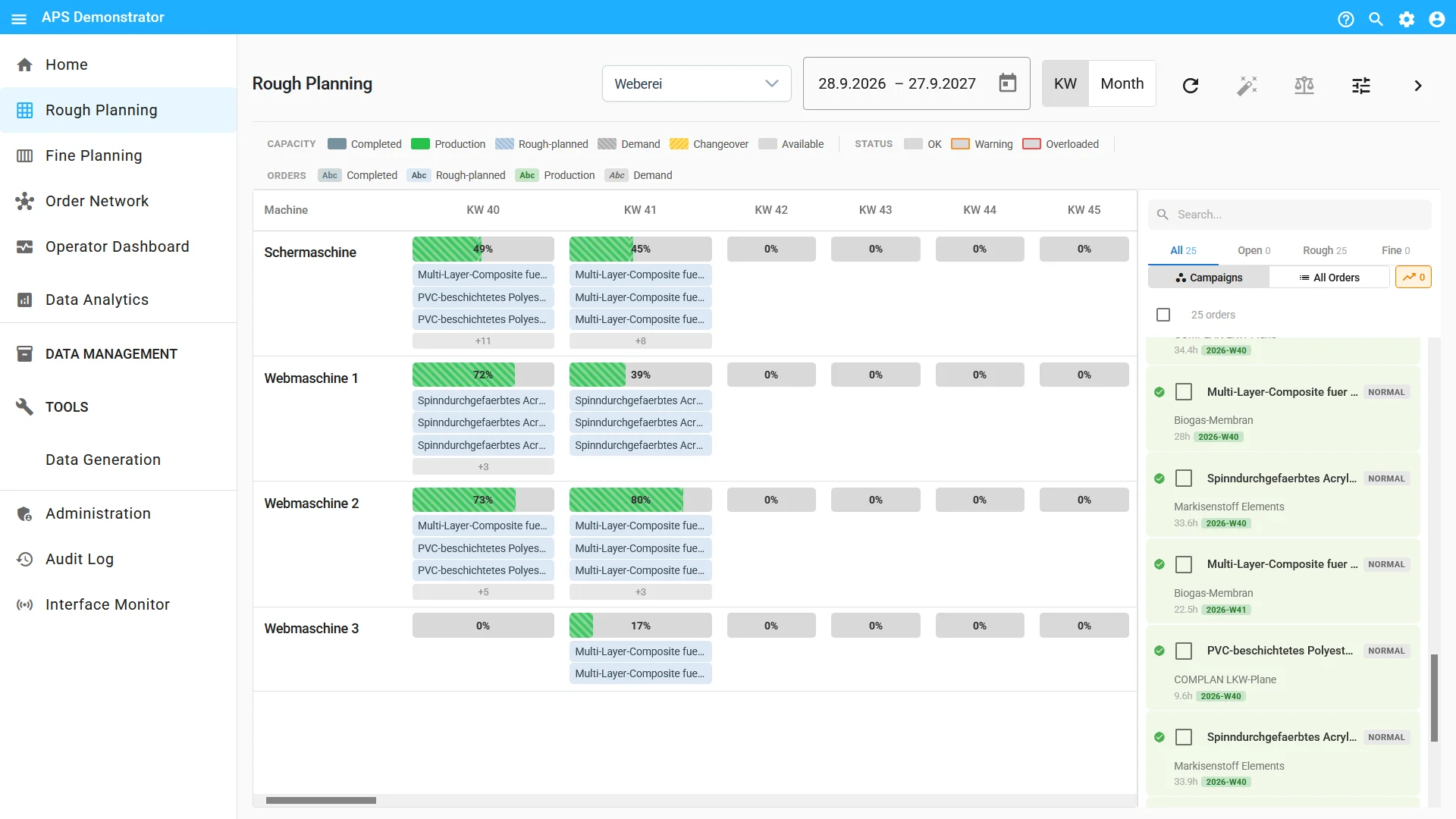
Identify Conflicts before They Slow Down Production
Fine Planner continuously checks the plan and flags overlaps, incorrect sequences, operations scheduled during planned downtime, insufficient changeover and transport times and overloaded resources. At the same time, you remain in control: warning icons in the table and the plan show where adjustments may be needed.
Automatic Mode: Plan the Week in Seconds
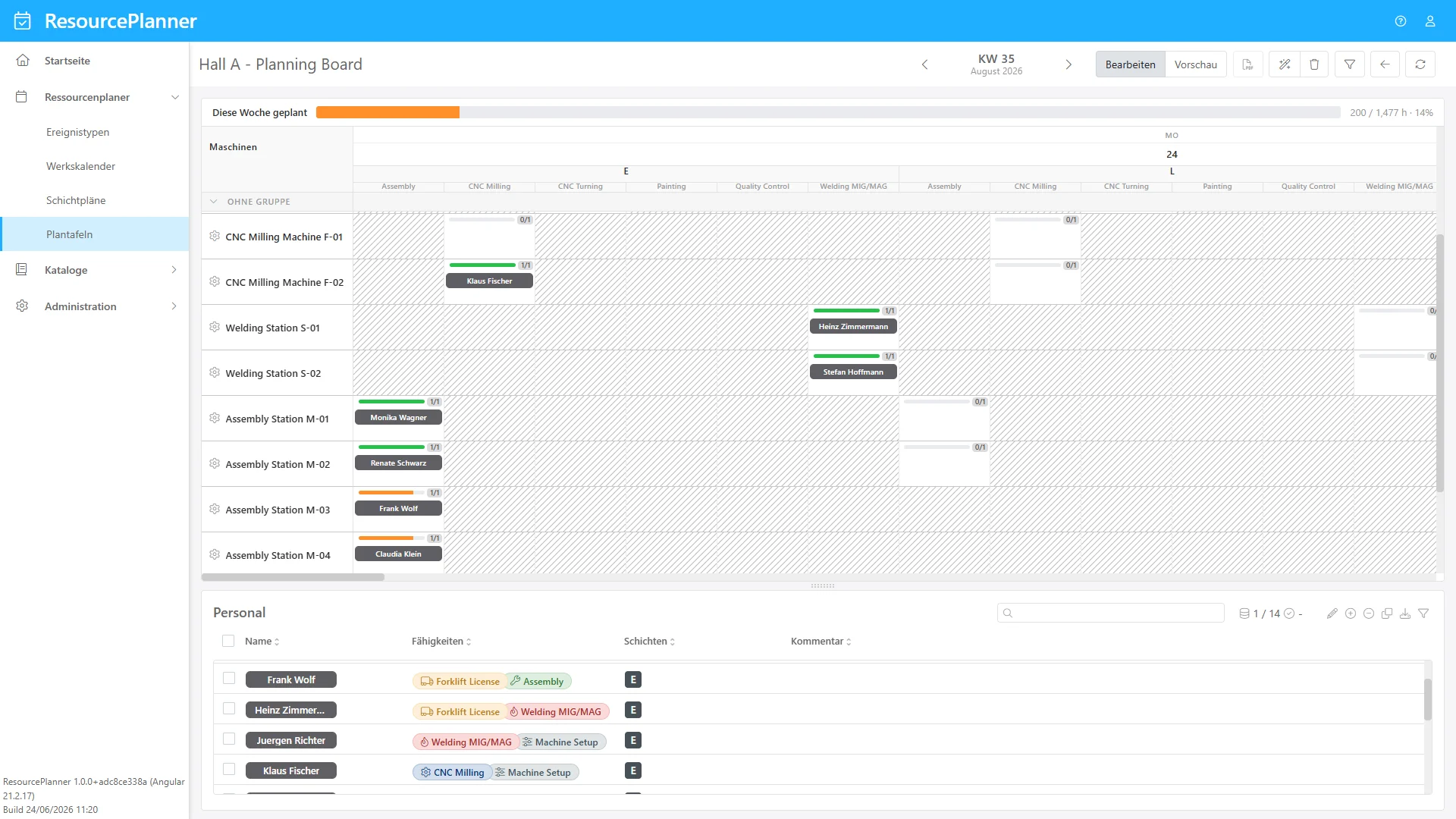
In addition to manual planning, the “Automatic Assignment” icon can be used to generate an assignment proposal for the entire week based on shifts, qualifications and machine availability. The proposal initially appears as a preview in the grid. Individual entries can be adjusted before the plan is applied.
Skills: A Common Language for People and Machines
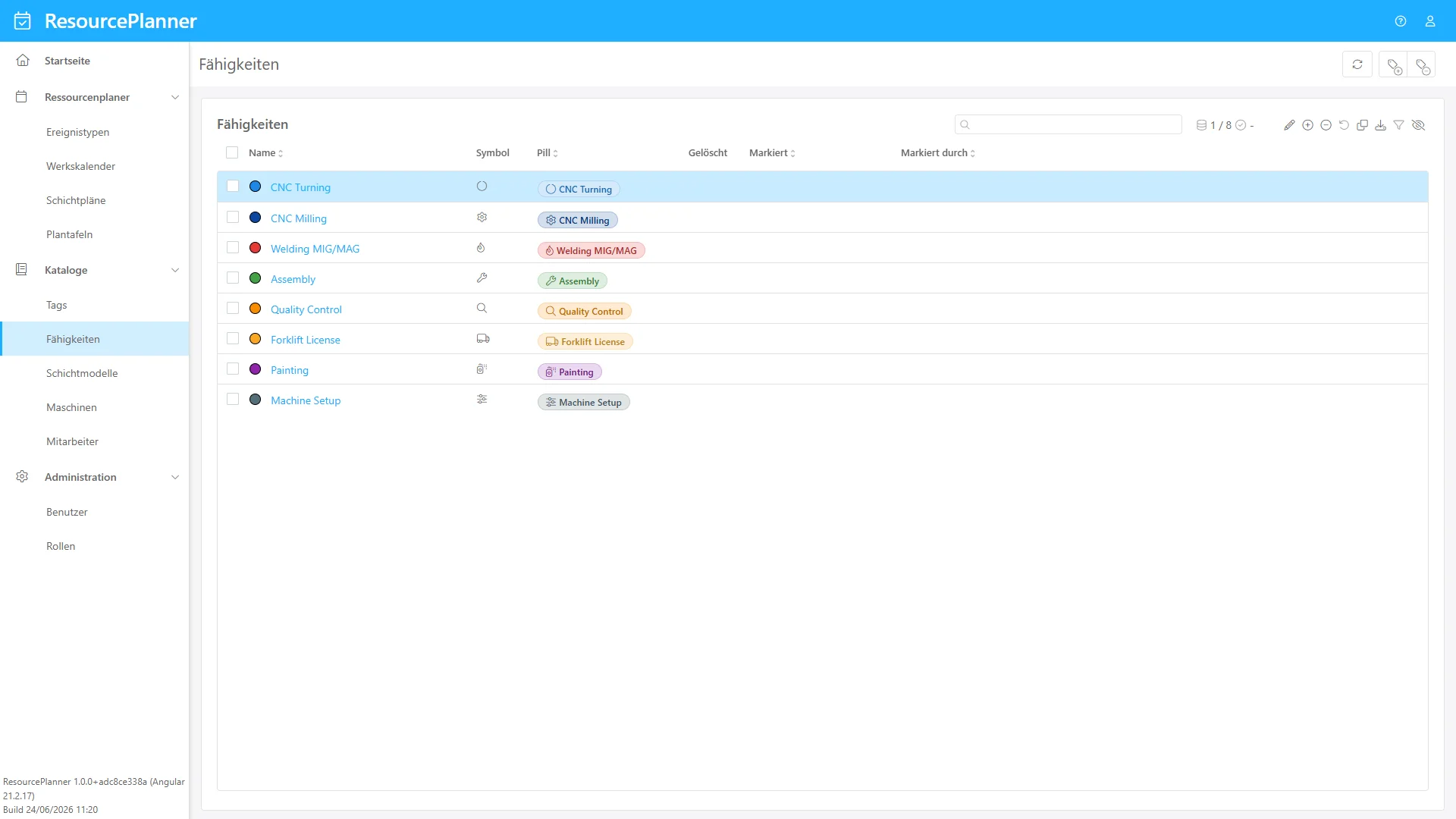
Skills such as welding, CNC milling or forklift operation connect personnel and machines. Employees are assigned the skills they are qualified for, while machines define which qualifications are required to operate them. Each skill is assigned a color and an icon, making it easy to identify across all views.
Event Types: Consistent Labeling in the Calendar
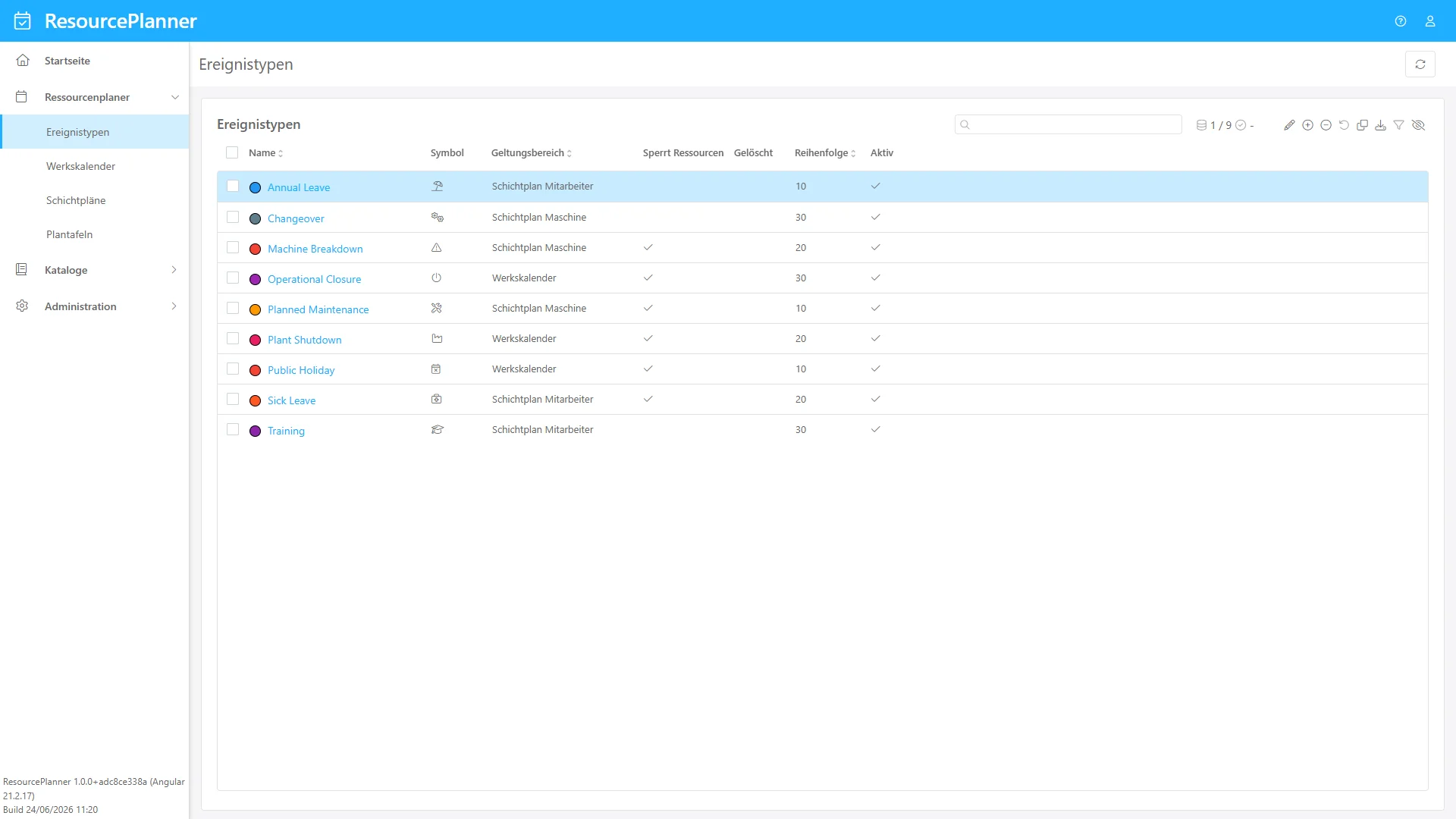
Event types such as maintenance, sick leave or vacation are defined centrally once. Each type can be assigned its own color and icon. Event types can also block resources. Days with a blocking event type are treated as unavailable, meaning neither personnel nor machines are scheduled on those days. The scope also determines where each event type is available for selection.
Conclusion
Fine Planner and Resource Planner combine automatic optimization with the experience of your production planners. Realistic production data, OEE forecasts, early conflict detection and coordinated planning of personnel and machines provide a reliable foundation for more efficient and predictable production processes.
Planning remains flexible: automatic proposals can be reviewed and adjusted, while skills, shifts, downtime and other constraints are taken into account directly.
This turns production and resource planning into an integrated process – from simulation to an executable plan 🚀
Release Notes
Our Release Notes provide continuously updated technical information as well as details about new features, improvements and resolved issues in our software solutions.